- Home »
- Android Apps »
- Tools »
- My WatchFace for Amazfit Bip v2.15.1

|
My WatchFace for Amazfit Bip v2.15.1Total Downloads: 2218 4.8Paid
|
My WatchFace for Amazfit Bip / Specifications
- Price: Paid
- Publish Date: 10/20/2018 08:21 UTC
- Requires Android: 5.0 and up
- Author: Rokitskiy.DEV
- Size: 6.6M
- Catagory: Tools
- Latest Version: 2.15.1
- Version history: My WatchFace for Amazfit Bip
My WatchFace for Amazfit Bip / Screenshots




My WatchFace for Amazfit Bip / Video Trailer or Demo
My WatchFace for Amazfit Bip / Description
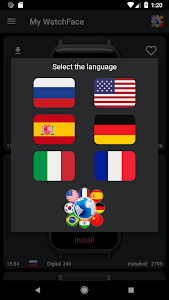
The easiest way to set the WatchFace. 1. Go to the program My WatchFace for Amazfit Bip 2. Find the WatchFace you like and press Install 3. Choose what WatchFace you want to replace 4. Go to Mi Fit and choose the WatchFace you chose in the previous paragraph 5. Look at the clock)))
My WatchFace for Amazfit Bip / What's New in v2.15.1
- Delete some WatchFaces witch doesn't available in MiFit
- Fixed crash on Android 8 and 9
- In application now available only 11 WatchFaces for replacing
Choose Download Locations for My WatchFace for Amazfit Bip v2.15.1
Note: If the download link doesn't work, please Report Link Problem
My WatchFace for Amazfit Bip APK Version History
Share My WatchFace for Amazfit Bip At Social Media


Recommended for You
![GCam Tool v2.31 [Pro]](https://lh3.googleusercontent.com/G3eyag-1XIphMrTcM13pDEtxbAoSRAQ88bztE--fWRAOzF6rne7q6e3ikDTwxegJ9vAO=w150 "GCam Tool v2.31 [Pro]")
![Camera Mod S7 - Bitrate & Settings [ROOT] v1.99 [Retail]](https://lh3.googleusercontent.com/d5COqXnTCL5xwX_HL6sihDPvMXWargIMCBoWp6WFb76o10Atj9JArioSELqi2WGP-6c=w150 "Camera Mod S7 - Bitrate & Settings [ROOT] v1.99 [Retail]")
![RegexH v1.9.11 [Unlocked]](https://lh3.googleusercontent.com/kAc2Su3sXCuSnR1ZevRBmR5oPeYKb1qdlNedF01fvaiXKBONvFoe_ehn04yy1zUHnQ=w150 "RegexH v1.9.11 [Unlocked]")
![Magic DosBox v1.0.70 [Paid]](https://lh3.ggpht.com/nUXxhwZHt9fErf5dDaT6W7WR_oXhywLm4vC8TvJqGawCfy4IXmQ6LPeFrNeNA_gq9Ro=w150 "Magic DosBox v1.0.70 [Paid]")
![FK Kernel Manager - for all devices & Kernels v3.7.1 [Patched]](https://lh3.googleusercontent.com/jeQqMbSEFAvBuse25B_Do0I13j-_mEDQc7cSQC2oNF3g3bxfy2xc6xkr5OaVOc8dcK4=w150 "FK Kernel Manager - for all devices & Kernels v3.7.1 [Patched]")
![Camera Mod S8 - Bitrate & Settings [ROOT] v2.31 [Retail]](https://lh3.googleusercontent.com/L-fw7K-sq2H5-GMS4plijhu2TgOZcCPYxhfLryufMxKf7Tt6-4De5HWt0YAszsrdwWc=w150 "Camera Mod S8 - Bitrate & Settings [ROOT] v2.31 [Retail]")
![Network Monitor Mini Pro v1.0.237 [Patched]](https://lh3.ggpht.com/_vO97n-Q7YIy3ctv6hf1iY63H5T9s-oysEbsxz7iXLqKEHKFObI5PAiIo7xgvJHEAKM=w150 "Network Monitor Mini Pro v1.0.237 [Patched]")
